
If you want to collect leads, sell a digital product, book more calls or automate part of a service business, you need a funnel. Not a complicated one — just a clear path that takes a visitor from interest to action.
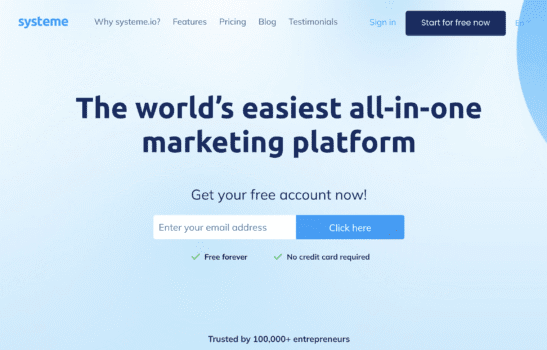
Systeme.io makes that process unusually simple. You can build landing pages, capture emails, send automated follow-ups and even take payments from the same platform.
In this guide, I’ll show you how to create a funnel in Systeme.io step by step, from the first page to the final test before launch.
This works whether you’re creating:
- A lead magnet funnel
- A simple product sales funnel
- A course signup funnel
- A service or consultation funnel
Step 1: Create a Free Systeme.io Account
Start by creating a free Systeme.io account. The free plan is enough to build and test a real funnel, not just play around with the software.
At the time of writing, the free plan includes:
- Up to 3 sales funnels
- Up to 2,000 contacts
- 1 online course
- Email marketing tools
- Unlimited email sends
- 1 custom domain
That is more than enough to launch a first lead generation or product funnel.
Step 2: Create a New Sales Funnel
Once you’re inside your dashboard:
- Go to Sites
- Click Sales funnels
- Select Create
- Enter a funnel name
- Choose your domain and currency
- Select the funnel type that fits your goal
Systeme.io gives you four funnel options:
- Build an Audience — best for lead magnets and email list growth
- Sell — best for digital products, courses and offers with a checkout
- Custom — best if you want to build the flow from scratch
- Evergreen Webinar — available on higher plans
For most beginners, Build an Audience or Sell is the right choice.
Step 3: Choose the Right Funnel Structure
Your funnel structure depends on what you want the visitor to do.
For a lead magnet funnel
- Opt-in page — collects the visitor’s email
- Thank-you page — confirms signup and explains what happens next
For a product sales funnel
- Sales page — explains the offer
- Order form — collects payment
- Thank-you page — confirms the order and gives next steps
You can add, remove, duplicate or reorder funnel steps later, so do not overthink the first version. Start with the shortest path that gets the visitor to the goal.
Step 4: Customize Your Pages
Click Edit page on any funnel step to open Systeme.io’s drag-and-drop builder. You can start from a template and adjust the text, layout, buttons, images and form fields.
For a simple opt-in page, you usually need:
- A clear headline focused on the benefit
- A short explanation of what the visitor gets
- An email form
- A strong call-to-action button
- Optional trust elements such as testimonials, logos or short credibility points
For example, instead of a vague headline like:
Join my newsletter
Use something more specific:
Get the 7-step checklist for launching your first online course
The more clearly the page communicates value, the better your chances of converting visitors into leads.
Step 5: Set Up Your Email Follow-Up
A funnel should not stop after someone fills in a form. The follow-up is where you deliver the promised resource, build trust and move people closer to a sale.
First, create your email campaign:
- Go to Emails → Campaigns
- Click Create
- Name your campaign
- Add your email sequence
A simple 3-email sequence might look like this:
- Email 1 — Immediately: Deliver the free resource or confirm the next step
- Email 2 — Day 1 or 2: Share a useful tip, case study or common mistake
- Email 3 — Day 3 or 4: Introduce your product, service or next action
Then connect the opt-in form to that campaign using an automation rule or workflow. The trigger should be the funnel form submission, and the action should subscribe the contact to your chosen campaign.
This part matters. Without an automation, you may collect leads but fail to follow up with them consistently.
Step 6: Add a Checkout Page if You’re Selling
If your funnel is designed to sell a product, add an order form step.
- Open your funnel
- Click Add step
- Choose Order form
- Select a checkout template
- Configure the offer and pricing
You can use Systeme.io to sell:
- Digital downloads
- Online courses
- Course bundles
- Paid communities
- Calendar events or bookings
- Physical products, with fulfilment handled separately
You will also need to connect a payment gateway such as Stripe or PayPal under your account payment settings before accepting payments.
After checkout, send buyers to a thank-you page that confirms the purchase and explains exactly what to do next.
Step 7: Test Everything Before You Launch
Before sending real traffic to your funnel, test it from start to finish.
- Submit the form with your own email address
- Check that you reach the correct next page
- Confirm the contact appears in Systeme.io
- Make sure the email sequence starts properly
- Test the checkout flow if you are selling
- Check the thank-you or delivery page
- Review the funnel on mobile as well as desktop
This takes a few minutes and prevents the kind of avoidable mistakes that cost leads and sales.
Step 8: Send Traffic to the Funnel
Once the funnel works, your next job is to get relevant people into it.
You can promote your funnel through:
- Blog posts and SEO content
- YouTube videos
- Email signatures
- Social media posts
- Paid ads
- Partner promotions or affiliate traffic
Do not judge the funnel too early. First make sure you are sending enough relevant traffic to it. A poor offer will not convert just because the page looks polished, but a strong offer also needs enough visibility to prove itself.
How to Improve Conversions After Launch
Once your funnel is live, focus on the parts that usually make the biggest difference:
- Make the headline more specific — vague promises rarely convert well
- Match the page to the traffic source — the visitor should instantly see they are in the right place
- Reduce distractions — one page, one main goal
- Improve the offer — better positioning often matters more than design tweaks
- Add proof — testimonials, examples, numbers or screenshots can help
- Test the call to action — button text should clearly say what happens next
- Follow up by email — many visitors will not buy or act immediately
Start with the message and the offer before obsessing over small visual changes.
Final Thoughts
Systeme.io makes it easy to build a funnel without stitching together five different tools. You can create the pages, collect leads, send follow-up emails and process payments from one dashboard.
That said, the software is only part of the equation. A funnel converts when the offer is clear, the page matches the visitor’s intent and the follow-up moves people toward the next step.
Start with a simple funnel, launch it, test the full journey and improve it based on real data.


